++++
++++Data Science
May 2026×Notebook lesson
Notebook converted from Jupyter for blog publishing.
05-Linear-Regression-Execise

Driptanil DattaSoftware Developer
import numpy as np
import pandas as pd
import matplotlib.pyplot as plt
import seaborn as sns
df = pd.read_csv("Advertising.csv")df.head()HTML
MORE
TV
radio
newspaper
sales
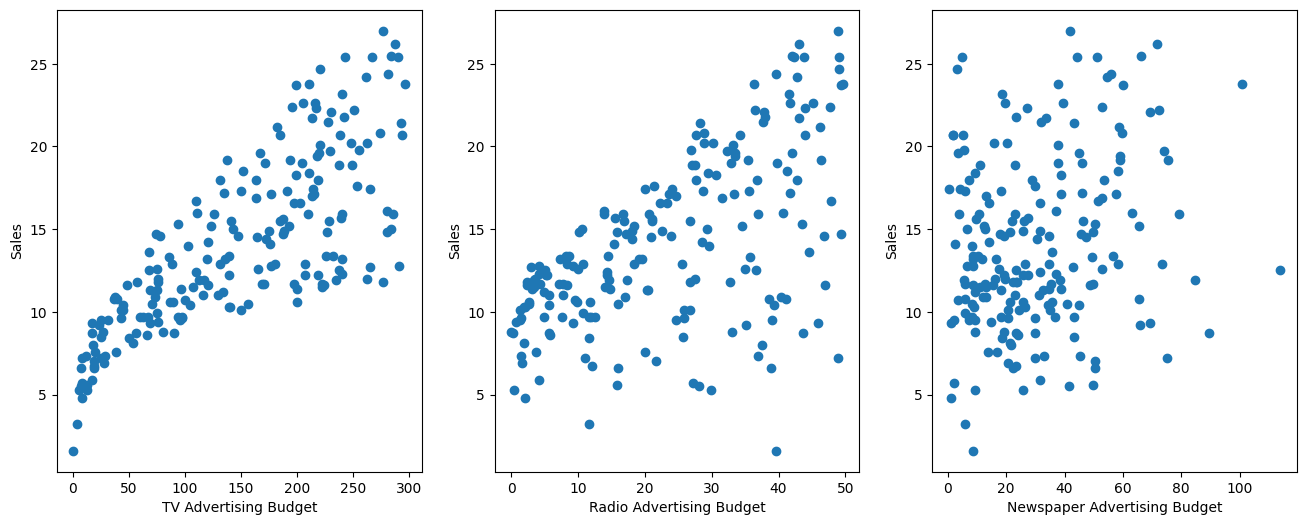
0fig,axes = plt.subplots(nrows=1, ncols=3, figsize=(16,6))
axes[0].plot(df['TV'], df['sales'], 'o')
axes[0].set_ylabel('Sales')
axes[0].set_xlabel('TV Advertising Budget')
axes[1].plot(df['radio'], df['sales'], 'o')
axes[1].set_ylabel('Sales')
axes[1].set_xlabel('Radio Advertising Budget')
axes[2].plot(df['newspaper'], df['sales'], 'o')
axes[2].set_ylabel('Sales')
axes[2].set_xlabel('Newspaper Advertising Budget')RESULT
Text(0.5, 0, 'Newspaper Advertising Budget')PLOT
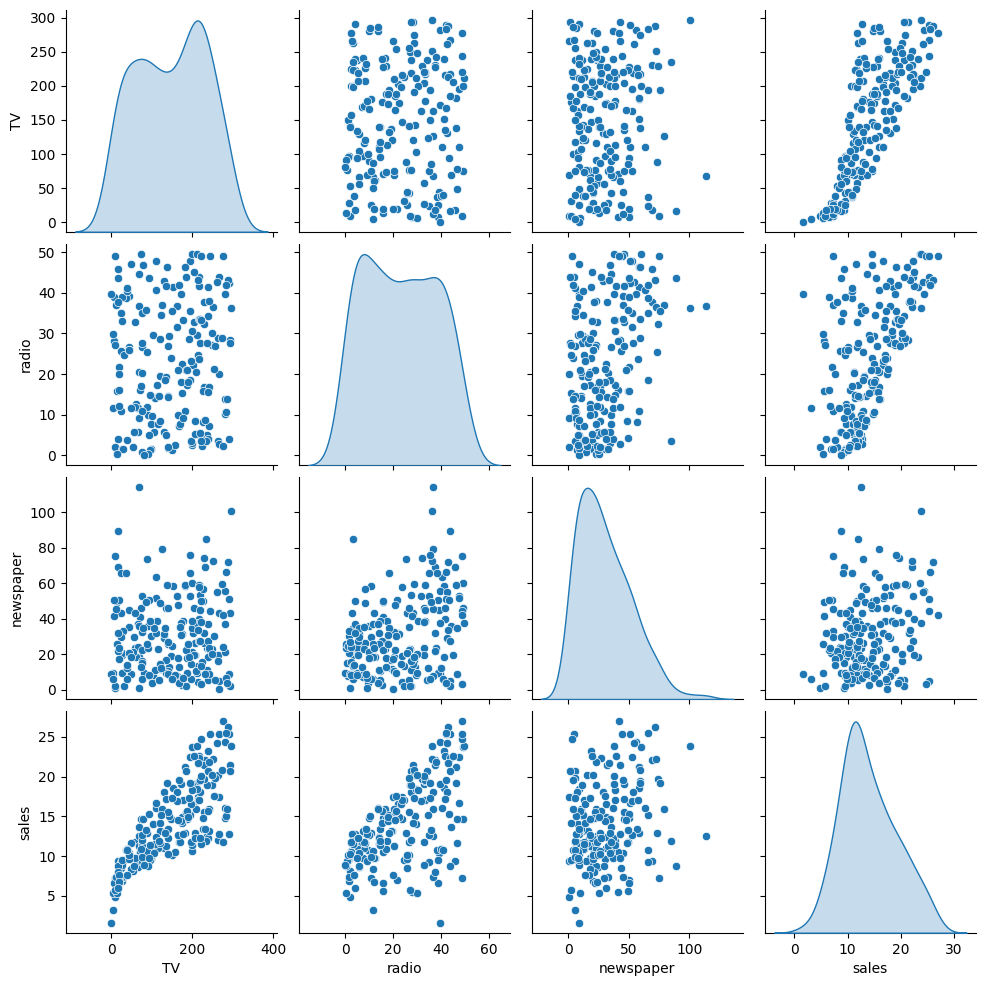
sns.pairplot(df, diag_kind='kde')RESULT
<seaborn.axisgrid.PairGrid at 0x121816960>PLOT
X = df.drop('sales', axis=1)
y = df['sales']
from sklearn.model_selection import train_test_split
X_train, X_test, y_train, y_test = train_test_split(X, y, test_size=0.2, random_state=42)X_trainHTML
MORE
TV
radio
newspaper
79
116.0y_trainRESULT
MORE
79     11.0
197    12.8
38     10.1
24      9.7
122    11.6
from sklearn.linear_model import LinearRegressionmodel = LinearRegression()
# Model Training on Data
model.fit(X_train, y_train)HTML
MORE
LinearRegression()In a Jupyter environment, please rerun this cell to show the HTML representation or trust the notebook.
On GitHub, the HTML representation is unable to render, please try loading this page with nbviewer.org.
LinearRegression
?Documentation for LinearRegressioniFitted
Parameters
test_predictions = model.predict(X_test)test_predictionsRESULT
MORE
array([16.4080242 , 20.88988209, 21.55384318, 10.60850256, 22.11237326,
       13.10559172, 21.05719192,  7.46101034, 13.60634581, 15.15506967,
        9.04831992,  6.65328312, 14.34554487,  8.90349333,  9.68959028,
       12.16494386,  8.73628397, 16.26507258, 10.27759582, 18.83109103,
       19.56036653, 13.25103464, 12.33620695, 21.30695132,  7.82740305,
from sklearn.metrics import mean_absolute_error,mean_squared_errorMAE = mean_absolute_error(y_test, test_predictions)
MSE = mean_squared_error(y_test, test_predictions)
RMSE = np.sqrt(MSE)print(f"Mean Absolute Error: {MAE}")
print(f"Mean Squared Error: {MSE}")
print(f"Root Mean Squared Error: {RMSE}")STDOUT
Mean Absolute Error: 1.4607567168117606
Mean Squared Error: 3.174097353976105
Root Mean Squared Error: 1.7815996615334504df['sales'].mean()RESULT
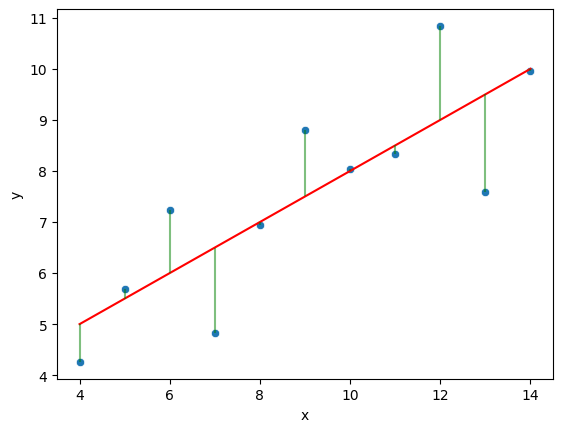
np.float64(14.0225)quartet = pd.read_csv('anscombes_quartet1.csv')quartet['pred_y'] = 3 + 0.5 * quartet['x']
quartet['residual'] = quartet['y'] - quartet['pred_y']
sns.scatterplot(data=quartet, x='x', y='y')
sns.lineplot(data=quartet, x='x', y='pred_y', color='red')
plt.vlines(x=quartet['x'], ymin=quartet['pred_y'], ymax=quartet['y'], color='green', alpha=0.5)RESULT
<matplotlib.collections.LineCollection at 0x1245f70b0>PLOT
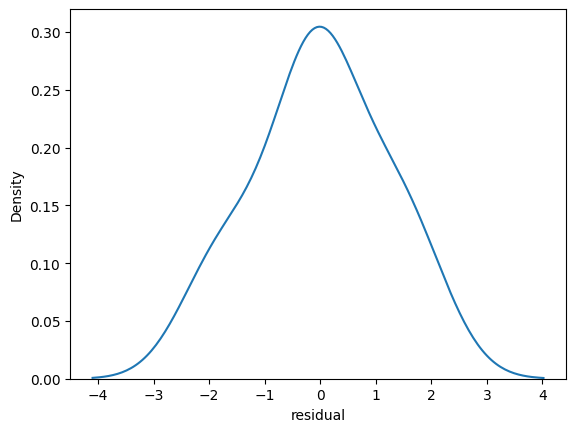
sns.kdeplot(quartet['residual'])RESULT
<Axes: xlabel='residual', ylabel='Density'>PLOT
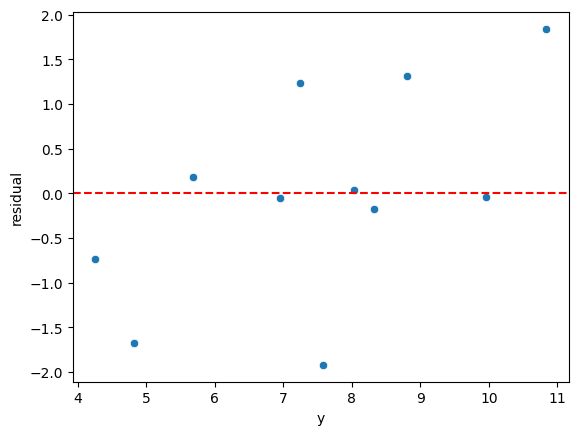
sns.scatterplot(data=quartet,x='y',y='residual')
plt.axhline(y=0, color='r', linestyle='--')
RESULT
<matplotlib.lines.Line2D at 0x124730d40>PLOT
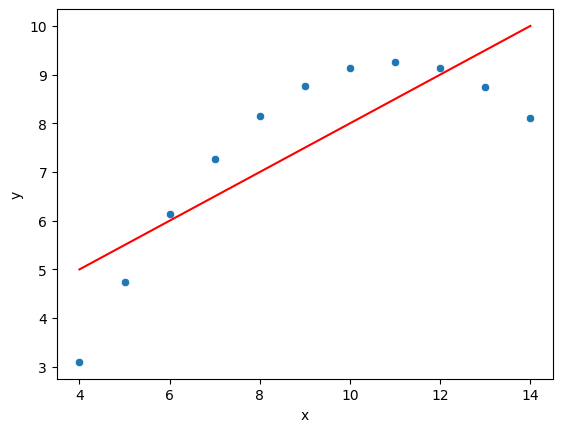
quartet = pd.read_csv('anscombes_quartet2.csv')quartet.columns = ['x','y']# y = 3.00 + 0.500x
quartet['pred_y'] = 3 + 0.5 * quartet['x']
quartet['residual'] = quartet['y'] - quartet['pred_y']
sns.scatterplot(data=quartet,x='x',y='y')
sns.lineplot(data=quartet,x='x',y='pred_y',color='red')
plt.vlines(quartet['x'],quartet['y'],quartet['y']-quartet['residual'])RESULT
<Axes: xlabel='x', ylabel='y'>PLOT